
Discovering the Real Difference betweenSQL Cloud and SQL Desktop | E Stream MSC

Discovering the Real Difference betweenSQL Cloud and SQL Desktop

Discovering the Real Difference between SQL Cloud and SQL Desktop

In the fast-changing world of business, where accuracy and efficiency play a crucial role, having the right accounting system is no longer a luxury but a necessity. Malaysian companies of all sizes have come to trust SQL Account as one of the most reliable accounting software solutions available. Yet many business owners still ask one common question: What is the real difference between SQL Cloud and SQL Desktop?

Understanding SQL Cloud and SQL Desktop

SQL Cloud is an online accounting solution that stores data securely on cloud servers. Users can log in anytime and anywhere through the internet to access their accounting records.

SQL Desktop, in contrast, is installed directly on your local computer or company server. All the data is stored internally, which means you have complete control over it. It is a traditional yet reliable option preferred by businesses that value privacy, data ownership, and offline accessibility.

Core Differences between SQL Cloud and SQL Desktop

Although both versions share the same purpose of managing financial operations efficiently, but their functions and user experiences are quite distinct.

1. Accessibility and Convenience

Accessibility is the most noticeable difference between the two. With SQL Cloud, users can log in from any location through a web browser. Whether you are in the office, at home, or overseas, you can still issue invoices, review reports, and monitor your business performance in real time. It is especially beneficial for companies with teams working across different locations. SQL Desktop limits access to the specific device or network where it is installed. While it offers stability and consistency, it does not support remote access without additional network configuration.

2. Cost and Investment Model

The pricing structure between SQL Cloud and SQL Desktop also varies. SQL Cloud follows a subscription model where businesses pay monthly or annually. This fee covers software updates, data backup, and server maintenance. It reduces the need for large upfront investment and minimizes IT responsibilities. SQL Desktop, on the other hand, usually requires a one-time license purchase. You own the software after the initial payment, but you will need to handle updates, backups, and any hardware maintenance. While the initial cost can be higher, it can become more cost-effective over time for businesses that prefer long-term control.

3. Data Security and Backup

Security is always a top priority when managing accounting systems. SQL Cloud automatically backs up your data to encrypted cloud servers, ensuring that your records remain safe even if your computer encounters technical issues. Cloud servers are monitored and maintained by professionals to prevent data loss and protect against cyber threats. In contrast, SQL Desktop relies on manual backup routines. This gives you full control of your data but also requires discipline and responsibility. If a computer crash occurs and you do not have a recent backup, recovering data may be difficult.

4. Performance and Reliability

SQL Desktop generally operates faster since it runs directly from the local system without depending on the internet connection. It is ideal for businesses that handle large amounts of data or require continuous usage even when the internet is unavailable. SQL Cloud, however, depends on internet stability. A strong and consistent connection ensures smooth performance and efficient data processing. The cloud version is optimized for multi-user environments, allowing several employees to work together without interruptions.

5. Collaboration and Scalability

When it comes to teamwork and growth, SQL Cloud offers a clear advantage. It allows multiple users to access and update the same data simultaneously, enabling better coordination between branches, departments, or team members. The system automatically synchronizes changes, ensuring everyone always works with the most current information. SQL Desktop supports multi-user functionality as well, but it requires more technical setup such as shared networks or dedicated servers. For expanding businesses or companies with multiple outlets, SQL Cloud provides a smoother path to scalability.

Choosing Between SQL Cloud and SQL Desktop

The choice between SQL Cloud and SQL Desktop depends on how your business operates. If your business values flexibility, convenience, and remote collaboration, SQL Cloud is a more suitable choice. It provides you with the freedom to work from anywhere, eliminates the hassle of maintenance, and ensures your data is always backed up securely. It is especially useful for companies that want to move toward digital transformation or have employees who work in different locations.

On the other hand, if your company prefers to maintain complete data control and operate without depending on the internet, SQL Desktop remains a strong contender. It guarantees smooth performance, privacy, and independence. Many businesses in industries with strict data confidentiality requirements choose this version because it allows them to manage everything internally.

Another factor to consider is budget and long-term planning. SQL Cloud offers lower entry costs and predictable expenses through subscriptions, which is beneficial for startups or small businesses that prefer manageable monthly payments. SQL Desktop may require higher upfront investment, but it becomes more economical in the long term, particularly for larger companies with in-house IT management.

Comparison Table between SQL Cloud and SQL Desktop

FEATURES SQL CLOUD SQL DESKTOP
ACCESSIBILITY Accessible anytime and anywhere with the internet Can be used in the office only
CUSTOMIZATION FLEXIBILITY Flexibility on customization formula & logics Flexibility on customization formula & logics
PAYMENT STRUCTURE Subscription-based (monthly or yearly payment) One-time purchase with lifetime use
HARDWARE AND SERVER COSTS Low hardware and maintenance costs Requires higher hardware and server investment
COLLABORATION Real-time access for multiple users Limited to the internal network
PERFORMANCE Depends on the internet speed Usually faster in local use
SOFTWARE UPDATES Automatic updates and maintenance are handled by the provider Updates and maintenance are handled manually by the user
BACKUP AND SECURITY Automated cloud backup with advanced encryption Manual data backup required
SCALABILITY Easy to expand for branches Limited by the network and hardware setup
BEST FOR Companies prioritizing flexibility, mobility, and remote access Business with in-office operations and strong in-house IT support

Making the Smart Choice for Your Business

SQL Cloud:

Ideal for businesses that value mobility, collaboration, and a modern digital work environment. It offers automatic updates, secure data backups, and convenient access.

SQL Desktop:

Suitable for businesses that prioritize privacy, data control, and offline operations. It provides stable performance and full autonomy.

Both versions come with powerful accounting features that help businesses manage finances efficiently and accurately, driving sustainable growth. Regardless of which version you select, SQL Account upholds the same commitment to provide Malaysian businesses with secure, reliable, and future-ready accounting solutions.

Why SQL Account Remains a Leading Choice in Malaysia

SQL Account Interface

Both SQL Cloud and SQL Desktop are built to cater to Malaysian businesses and are fully compliant with the country’s accounting standards, including SST regulations. The software also provides modules for inventory, payroll, purchasing, and sales management. This allows companies across various sectors, such as retail, manufacturing, and services to tailor their system according to their operational needs.

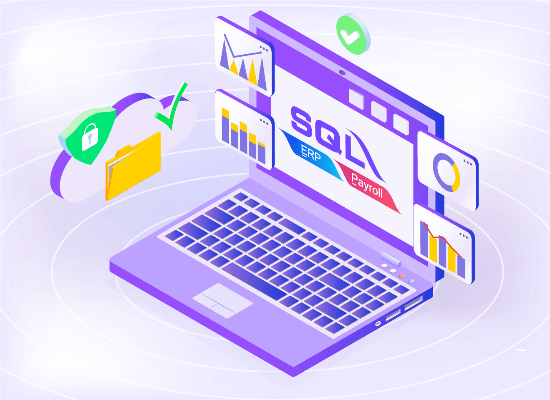
SQL Cloud introduces an innovative Hybrid Cloud System, which gives users the best of both worlds. It allows businesses to work online while keeping a secure copy of data on their local server. This approach combines the flexibility of cloud computing with the assurance of data ownership, offering peace of mind for business owners who want both convenience and control.

In addition to powerful features, SQL Account is known for its reliable local support and continuous software improvement. Users receive comprehensive training and professional assistance, ensuring they can make full use of the system’s capabilities. Regardless of which version you choose, you will benefit from the same trustworthy support and consistent performance that SQL Account is known for.


Leave a Comment

Your email address will not be published. Required fields are marked *

STEP 1: Scan QR Code to pay

SQL

STEP 2: Click here to email payment info